Managing Followers
As a leader you can see everyone who copies you, how they are doing, what they owe, and change their profit share or billing cycle one by one.
In simple words
The Followers page is your class list: who is copying, how much they made, how much they paid you. Click a name to see everything about that one follower. Analytics is the report card for all your groups together.The Followers list
Leader → Followers (or Followers on a group card).
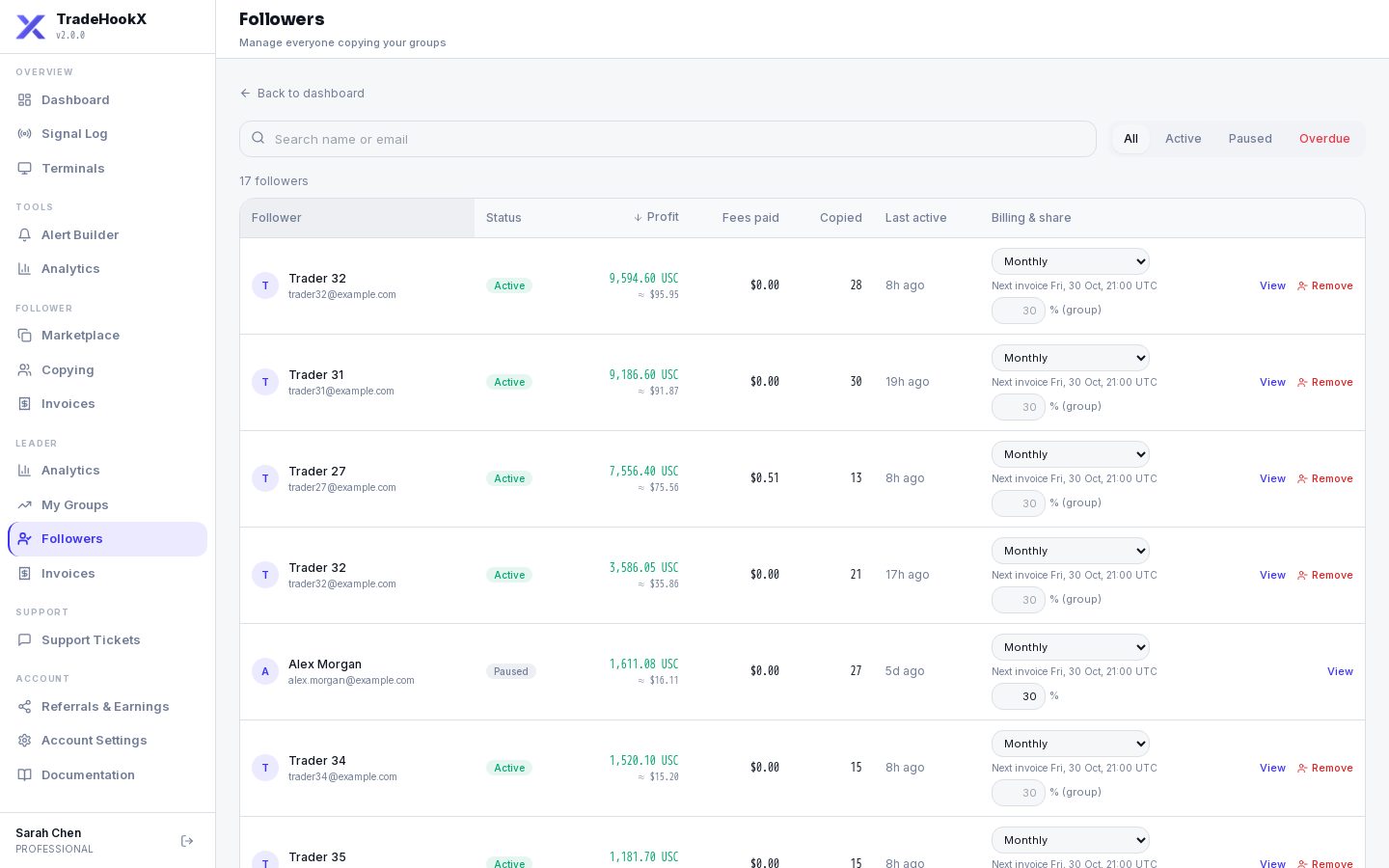
| Part | Meaning |
|---|---|
| Search | By name or email. |
| Tabs | All, Active, Paused, Overdue (has an unpaid overdue invoice). |
| Copied / Profit / Fees paid | Copied trades, their copied profit (account currency) and what they have paid you. |
| Billing cycle | Weekly or Monthly for THIS follower (default = the group's cycle). |
| Profit share % | A personal % for this follower. Empty = the group's %. |
| View | Opens Follower 360 (below). |
What you can never see
You never see a follower's balance, equity, password or license key - only what they copied from you and what they paid.Personal profit share
- •Type a % (0-50) in the follower's row and save. Empty = back to the group's %.
- •It applies from that follower's NEXT billing period; the current one is still billed at the old %. The row shows e.g. "20% this period · 15% from 30 Oct".
- •The follower is told by email / Telegram.
- •Changing the GROUP's % (Edit group) keeps personal %s unless you tick "apply to all".
Billing cycle per follower
- •Weekly = an invoice at each Friday market close (17:00 New York). Monthly = at the last Friday close of the month.
- •The row shows "Next invoice <date> UTC · N unpaid".
- •If the follower has unpaid invoices, switching asks first: those invoices are VOIDED and their trades are billed again on the next invoice of the new cycle. Nothing is lost or billed twice.
Removing a follower
- •Remove follower (on the row or in Follower 360). You can add a short message - the follower gets it by email and Telegram.
- •New trades are no longer copied to them. Trades already copied keep following your closes.
- •Their copied profit is still invoiced on the normal billing date, and they must still pay it.
Follower 360
Click View to open everything about one follower in a side panel:
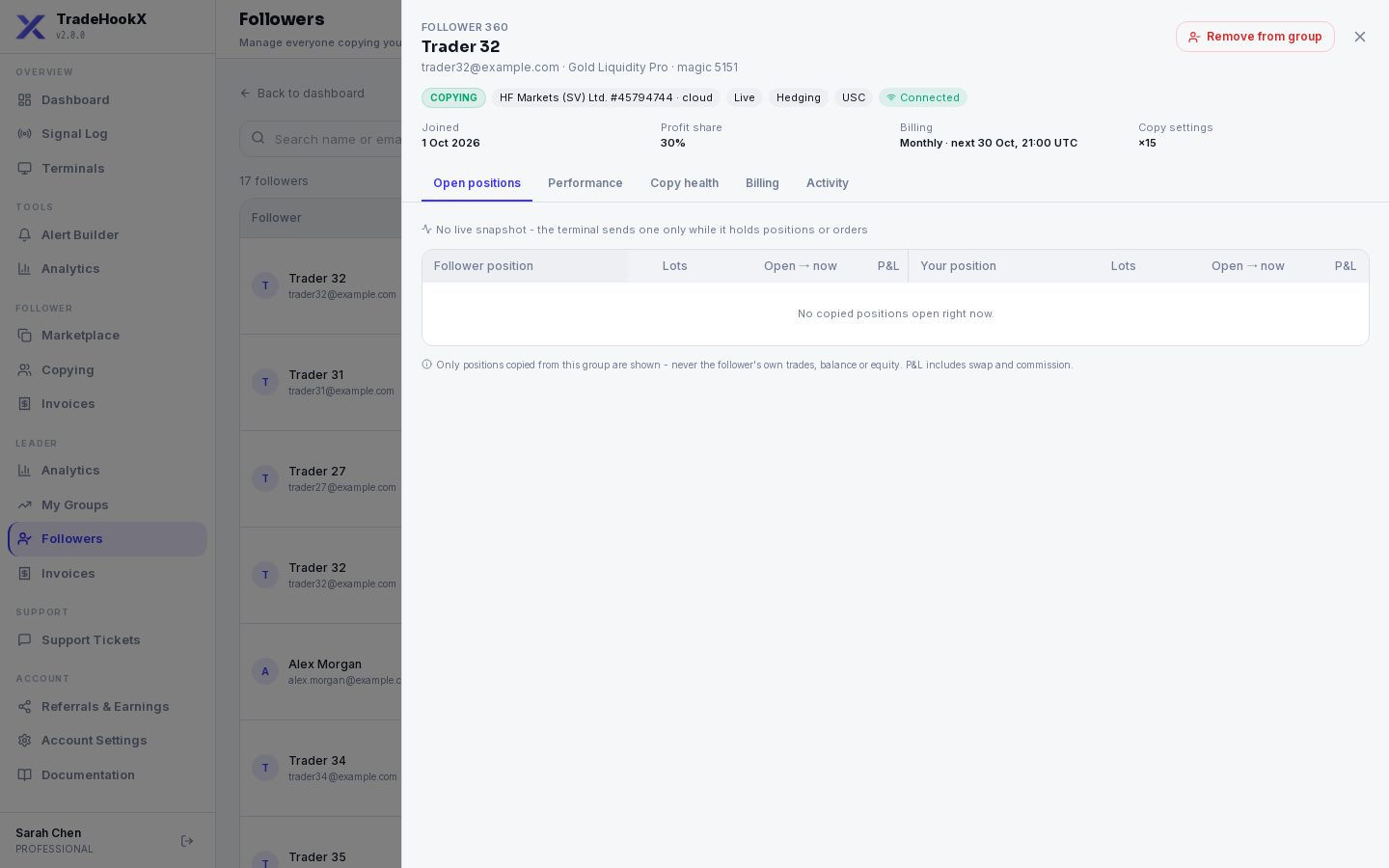
| Tab | What you see |
|---|---|
| Performance | Copied profit for the chosen range, win rate, profit factor, results per symbol, and accuracy = how many of your entries this follower really executed. |
| Open positions | Their copies of your trades that are open right now, next to your own position (refreshes every few seconds). Only copied trades - never their other trades. |
| Copy health | Delay (how long after your trade theirs filled), slippage (price difference in pips), failed and skipped copies with the reason. |
| Billing | Every invoice and its status, and their profit-share history. |
| Activity | Joined, paused, resumed, % or cycle changes, removed - with dates. |
The ranges are the same as everywhere: This period, Last period, Today, This week, This month, Last 30 days, All time, Custom (UTC).
Leader Analytics
Leader → Analytics: all your groups (or one group / one terminal) for a date range.
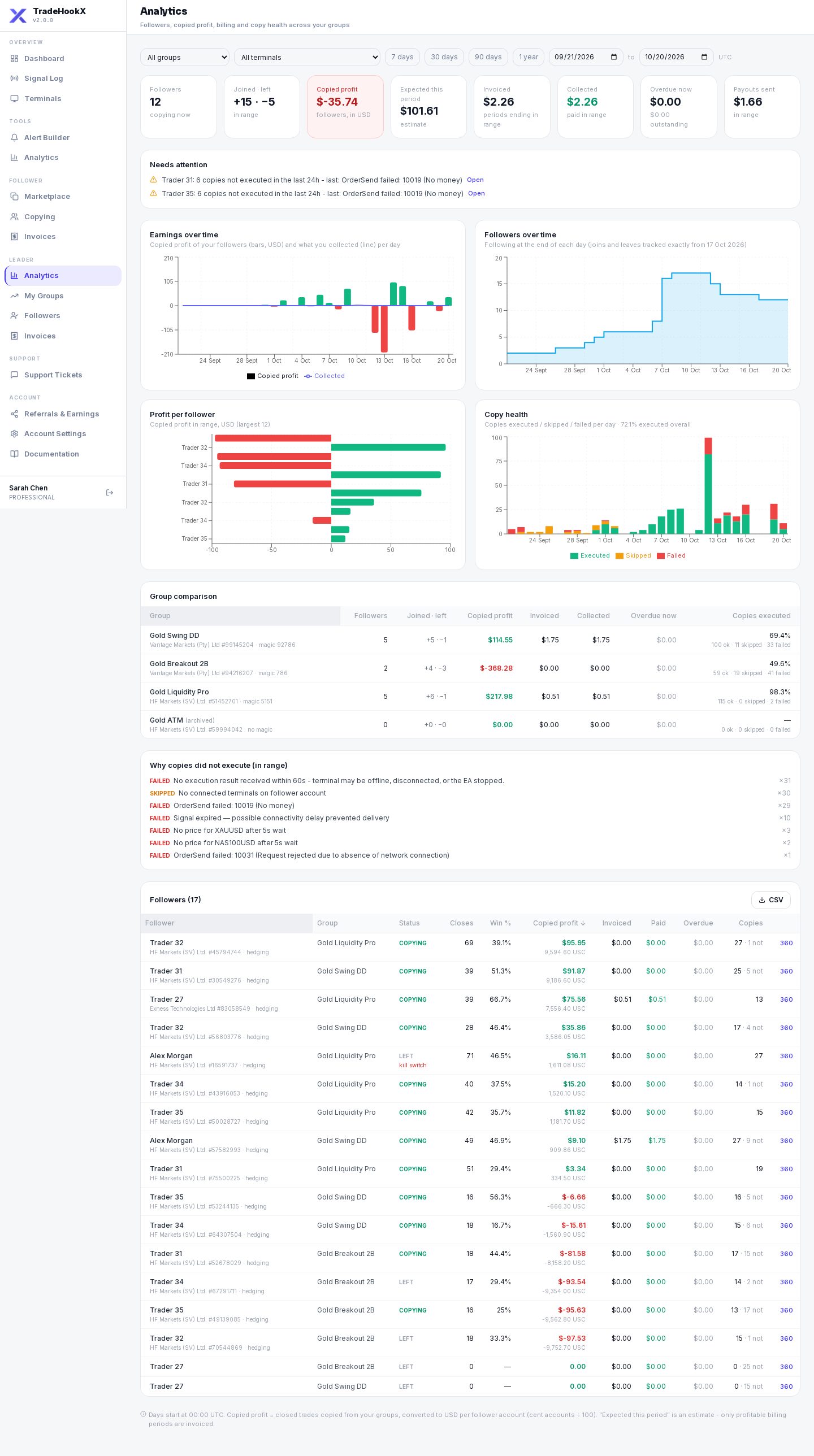
| Tile / chart | Meaning |
|---|---|
| Followers / Joined · left | How many copy you, and how many joined and left in the range. |
| Copied profit | Closed copied trades in USD (cent accounts ÷ 100). |
| Expected this period | Estimate of your share for the current billing period - only profitable periods are invoiced. |
| Invoiced / Collected / Overdue now / Payouts sent | What was billed, what was paid, what is overdue, and what was sent to you. |
| Copies executed | Executed vs failed vs skipped copies. |
| Earnings over time / Followers over time | Daily (or weekly for long ranges) charts. |
| Profit per follower | One row per follower. |
| Group comparison | Your groups side by side. |
| Why copies did not execute | The reasons grouped, e.g. "No money", "No connected terminals on follower account". |
| Needs attention | Your terminal offline or kill switch on, a group without magic, followers offline, copies failing in the last 24 hours. |
Use Needs attention every day
It is the fastest way to find problems before your followers do - for example a follower whose copies keep failing for margin.