TradingView Alerts
Every TradingView alert becomes a trade instruction. Point the alert at your webhook URL, give it a message the platform understands, and your strategy is live.
Before you start
- •A TradingView plan that includes webhook notifications - TradingView Essential or higher. TradingView does not offer webhooks on its free Basic plan and requires 2FA enabled for webhook alerts. A TradingView paid-plan trial works too.
- •Your webhook URL and license key from the TradeHookX dashboard - available on all plans from the first minute of your 7-day trial
The easy way: Alert Builder
The Alert Builder on your dashboard generates ready-to-paste alert JSON. Pick the action, order type, stop loss, take profit levels, breakeven, trailing stop, lot sizing, and strategy tag - it outputs the exact message, including your license key and TradingView username binding. This is the recommended path: no syntax to memorize and no typos.
Building your alert, field by field
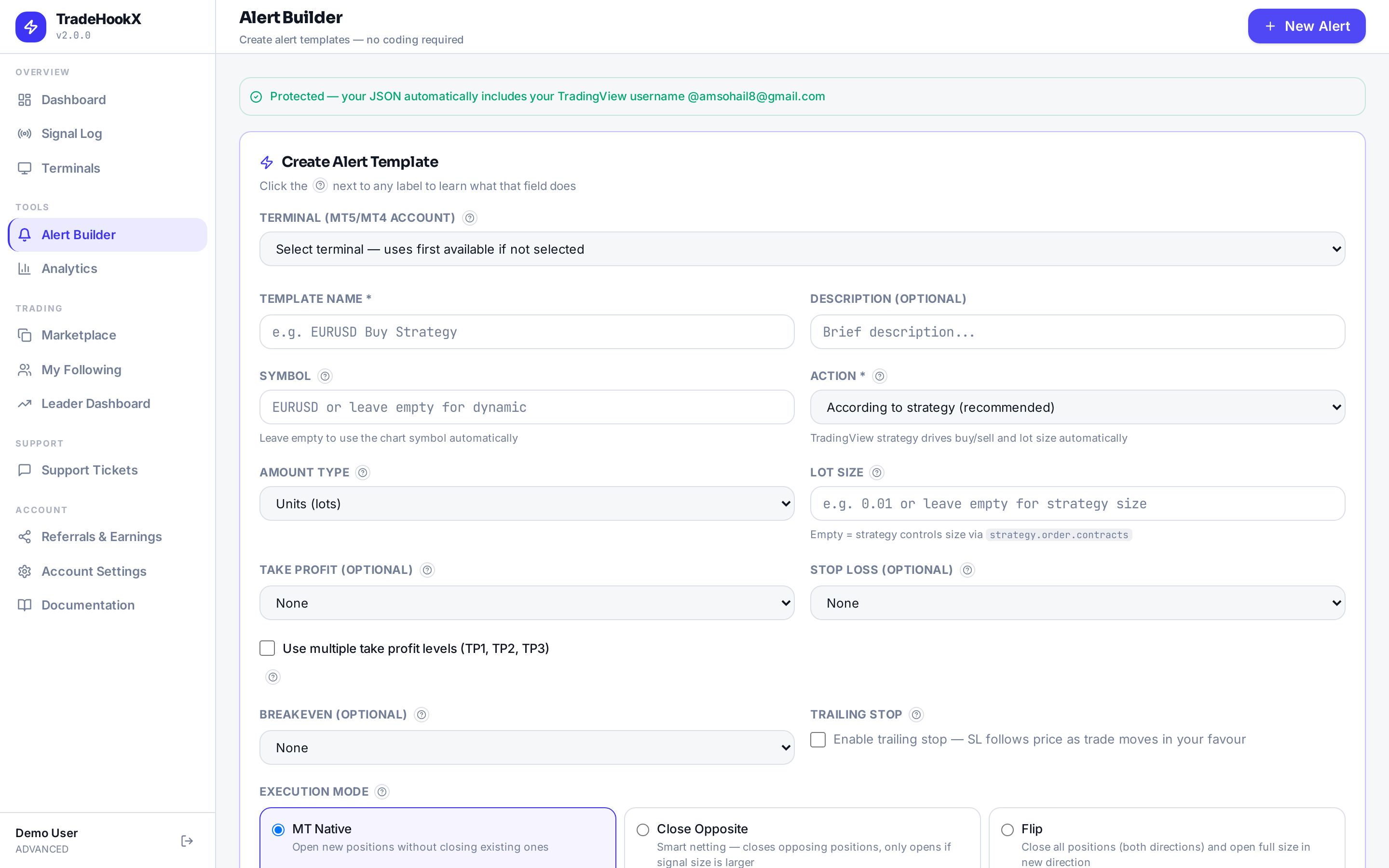
The Alert Builder form
- •Action: According to strategy is recommended for automated strategies - TradingView decides buy or sell at runtime. Fixed Buy/Sell suits simple price alerts.
- •Symbol: leave empty and the alert uses the TradingView chart symbol automatically; broker name differences are handled by Symbol Mapping.
- •Lot size: leave empty in strategy mode and your TradingView position sizing controls the size. Start with 0.01 on a demo.
- •Execution mode: Close Opposite is the usual choice - smart netting closes opposing positions first, so you never hold a buy and a sell at once. Flip reverses the position entirely.
- •Multiple TPs: set a distance and lot amount per level; tick the checkboxes to move SL to entry after TP1 and to TP1 after TP2 - most professionals tick both.
- •Magic number: give each strategy its own number (100001, 100002, ...) so a close signal only touches its own trades.
Setting up the alert in TradingView
Create the alert
On your chart, create an alert on your indicator, strategy, or price condition. For strategies, a trigger of Once Per Bar Close is the usual choice.
Paste the webhook URL
In the alert dialog, open the Notifications tab, enable Webhook URL, and paste:
https://app.tradehookx.com/webhook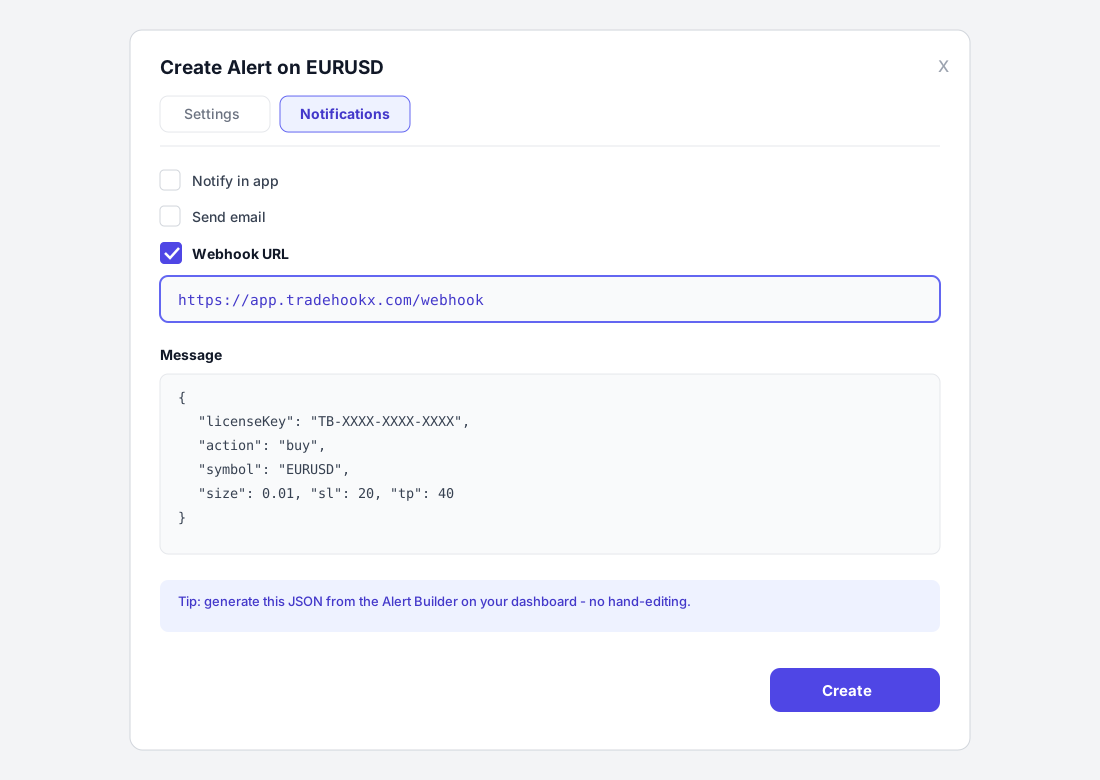
Paste the message
Put the JSON from the Alert Builder into the Message field. A minimal buy looks like this:
{ "licenseKey": "TB-XXXX-XXXX-XXXX", "action": "buy", "symbol": "EURUSD" }The full field reference - SL/TP, multi-TP, breakeven, trailing, tags - is on the Signal Syntax page.
TradingView account binding
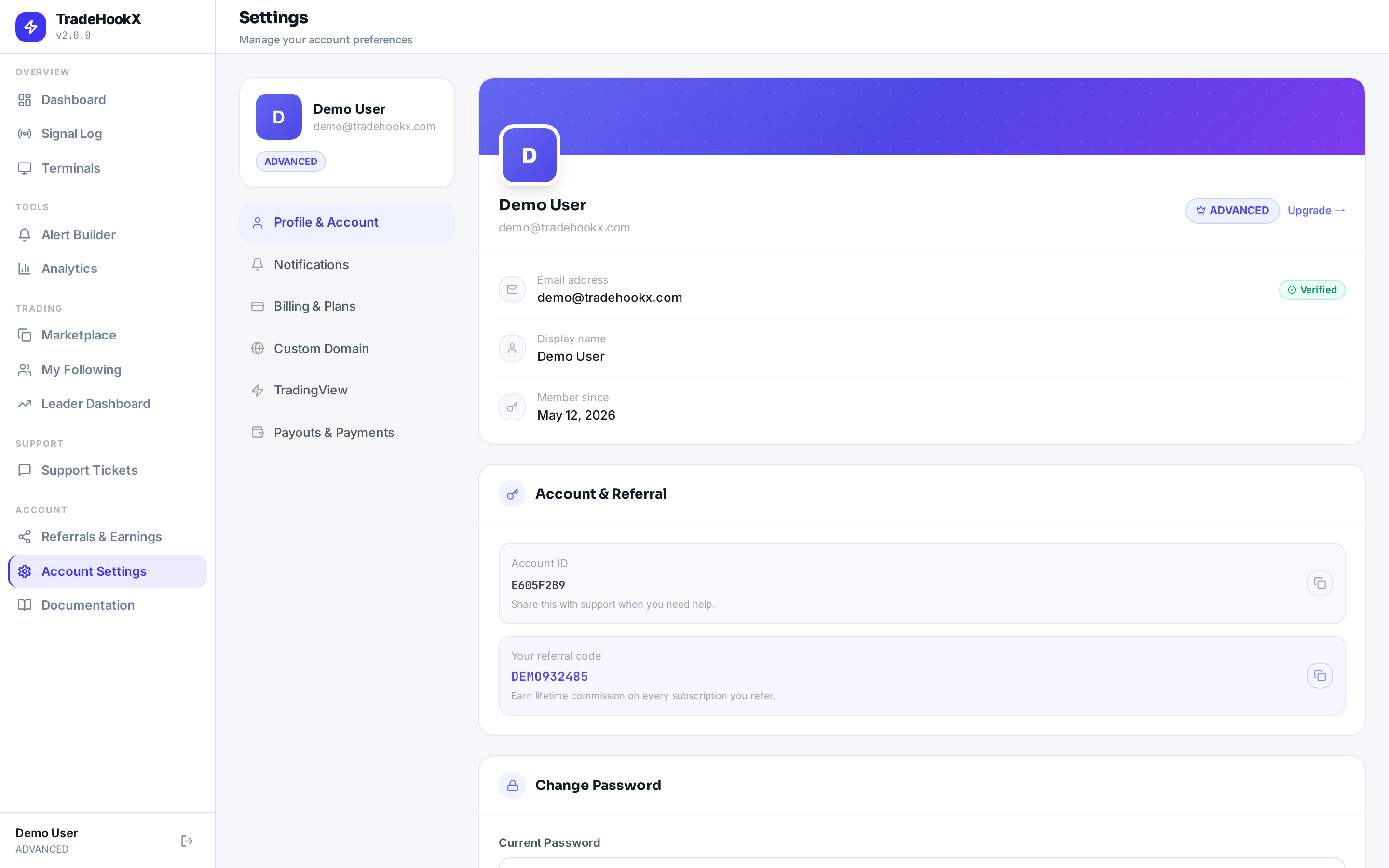
For security, bind your TradingView username in your TradeHookX settings. Once bound, only alerts generated by your TradingView account are executed - the Alert Builder includes the binding automatically, so a leaked webhook URL alone cannot trade on your account.
Test without risking the market
The Webhook Tester on your dashboard fires the same JSON through the full pipeline, so you can verify everything end to end before enabling a live strategy.