Troubleshooting & FAQ
Something did not happen the way you expected? Start here. Each problem lists where to look and what usually fixes it.
In simple words
Almost every answer is in two places: the Signal Log (what happened to the signal, and why) and the terminal card (is MT5 online, is the kill switch on). Look there first, and you will usually find the reason in a minute.My alert did not open a trade
Is it in the Signal Log?
No → it never reached your account. Check in TradingView: is the alert active, is Webhook URL switched on with https://app.tradehookx.com/webhook, and what does TradingView's alert log say? Common answers: "Invalid or expired license key" (wrong key or expired plan) or a broken message - make it again with Get JSON.
It is there as Failed
Open it and read the reason - the table in Signal Log explains every common message.
It is Executed but there is no trade in MT5
Look in MT5's History - maybe the trade opened and was closed at once by a stop that was too close, or another alert closed it. For a local EA, make sure you are looking at the right MT5 account.
Common problems
| Problem | Usual cause | Fix |
|---|---|---|
| Terminal shows Offline | Cloud: MT5 cannot log in (password changed, demo expired, broker server). Local: PC off, MT5 closed, Algo Trading off. | Cloud: Reconnect; read Logs → Journal; re-add with the new password. Local: start MT5, Algo Trading green, EA smiling. |
| "EA could not be revived after 3 attempts" | The cloud EA keeps stopping - almost always a login problem at the broker. | Check the account at your broker; delete and re-add the terminal with the right password and server. |
| No price for XAUUSD after 5s wait | Your broker calls the symbol differently. | Symbol Mapping (e.g. XAUUSD → GOLD or XAUUSDm). |
| Wrong lot size | Strategy contracts without a multiplier, or the multiplier is off. | Alert Builder → Strategy multiplier; check one trade in MT5. See Signal Syntax. |
| Stop loss far too close / Invalid stops | Pips on gold, crypto or indexes are smaller than expected. | Use Percentage from entry price. |
| Close alert did nothing (No matching positions found, or Nothing to close) | The close has another magic than the entry, or no magic, or the trade was already closed. | Same magic on entry and close (Duplicate the entry alert). |
| A sell opened a new short instead of just closing | Close Opposite with nothing left to close. | Use closelong / closeshort with close_lots for scale-outs. See Closing Trades. |
| Trades stacked up instead of closing | MT Native on a strategy alert. | Switch the alert to Close Opposite. |
| Everything is refused on one terminal | Kill switch on, daily loss limit hit, or (leaders) alerts without the group's magic. | Look at the card banner and the error text. |
| TradingView username mismatch | TradingView binding is on and the alert was made before it. | Get JSON again and paste the new message into TradingView. |
Copy trading
| Problem | Usual cause | Fix |
|---|---|---|
| Copies fail with "No money" | The copies are too big for the account. | Lower the multiplier, set fixed lots or a max lot cap. |
| Copies are skipped: "No connected terminals on follower account" | Your terminal was offline when the leader traded. | Use a cloud terminal; check the card. |
| I cannot follow | Plan (Advanced needed), no free group slot, netting account already in a group, or an overdue invoice. | The follow window says which - see For Followers. |
| My copy is still open after the leader closed | Your terminal was offline or the kill switch was on at that moment. | Close it by hand in MT5. |
| Copying is Paused and I did not pause it | "plan" = your plan covers fewer groups; otherwise an overdue invoice. | Upgrade / add a group, or pay the invoice - it resumes by itself. |
| Leader: my alerts are rejected | From 24 Oct 2026 every alert on a leader terminal needs one of its groups' magics. | Add the magic (My Groups → magic pill → Alert Builder). |
| Leader: my hand trade was not copied | Not a cloud terminal, EA older than v2.26, or the symbol is not in the manual group's list. | See Manual Trading Groups. |
| Leader: my bot's / EA's trades were not copied | A manual group copies only trades you click yourself (magic 0). Trades a bot, EA or trade panel opens carry its own magic number. | Trade by hand, or send the strategy as TradingView alerts in an alerts group. |
Billing
- •Paid by crypto but the invoice / plan is still unpaid: the payment may still be confirming on the blockchain (minutes), or a different coin / network / amount was sent. Open a ticket with the payment link.
- •An invoice amount looks wrong: open Details - every trade is listed; cent accounts are divided by 100; losing periods are never billed.
- •My plan changed to Starter: the plan ended and the grace period is over - renew in Settings → Billing.
Contact support
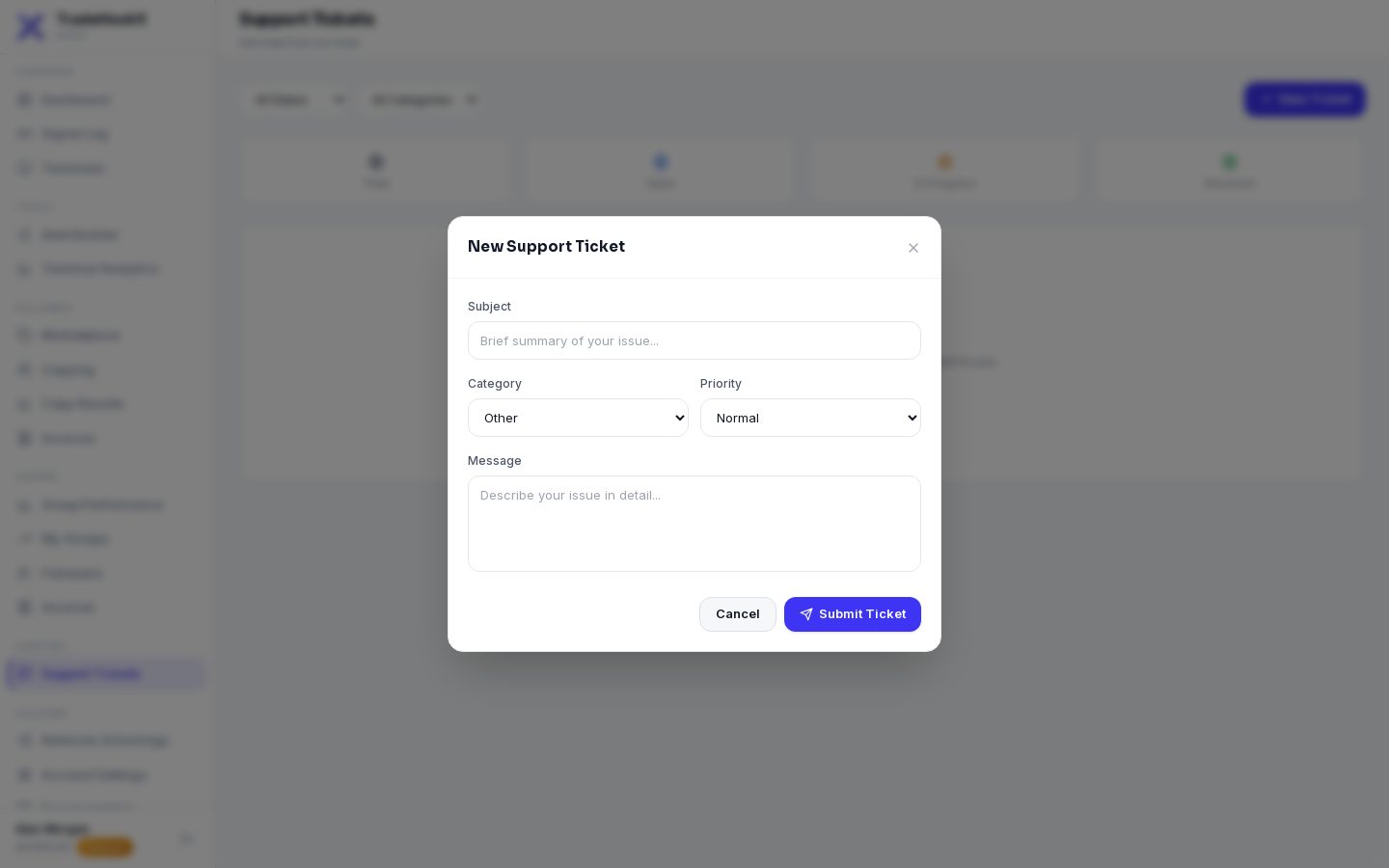
Support → Support Tickets → New Support Ticket
Choose a category (e.g. Technical, Billing, Copy Trading) and priority, write a short subject and describe the problem.
Give us what we need
- •The Signal ID (copy icon in the Signal Log) - we find the signal at once
- •Which terminal (name or account number) and roughly when
- •A screenshot of the error, if there is one
- •NEVER your MT5 password, your license key in full, or 2FA codes - we never ask for them
Follow the answer
The ticket moves from Open to In Progress to Resolved. Reply in the ticket; Close Ticket when it is solved. A closed ticket cannot be reopened - just create a new one.
Something is trading wrongly right now?
Do not wait for an answer: switch the terminal's kill switch ON (Terminals → Kill), manage open trades by hand in MT5, then open a ticket.