Cloud Terminals
A cloud terminal is a full MT4/MT5 terminal hosted on TradeHookX infrastructure. It stays connected 24/7 with the EA pre-installed - your signals execute even when your computer is off. Included with Advanced and Professional plans, and available from day one of the trial.
Deploy in three steps
Pick your broker
On the Terminals page, choose Add Cloud Terminal and select your broker from the library of 25+ supported brokers. Do not see yours? Contact support and we will look into adding it.
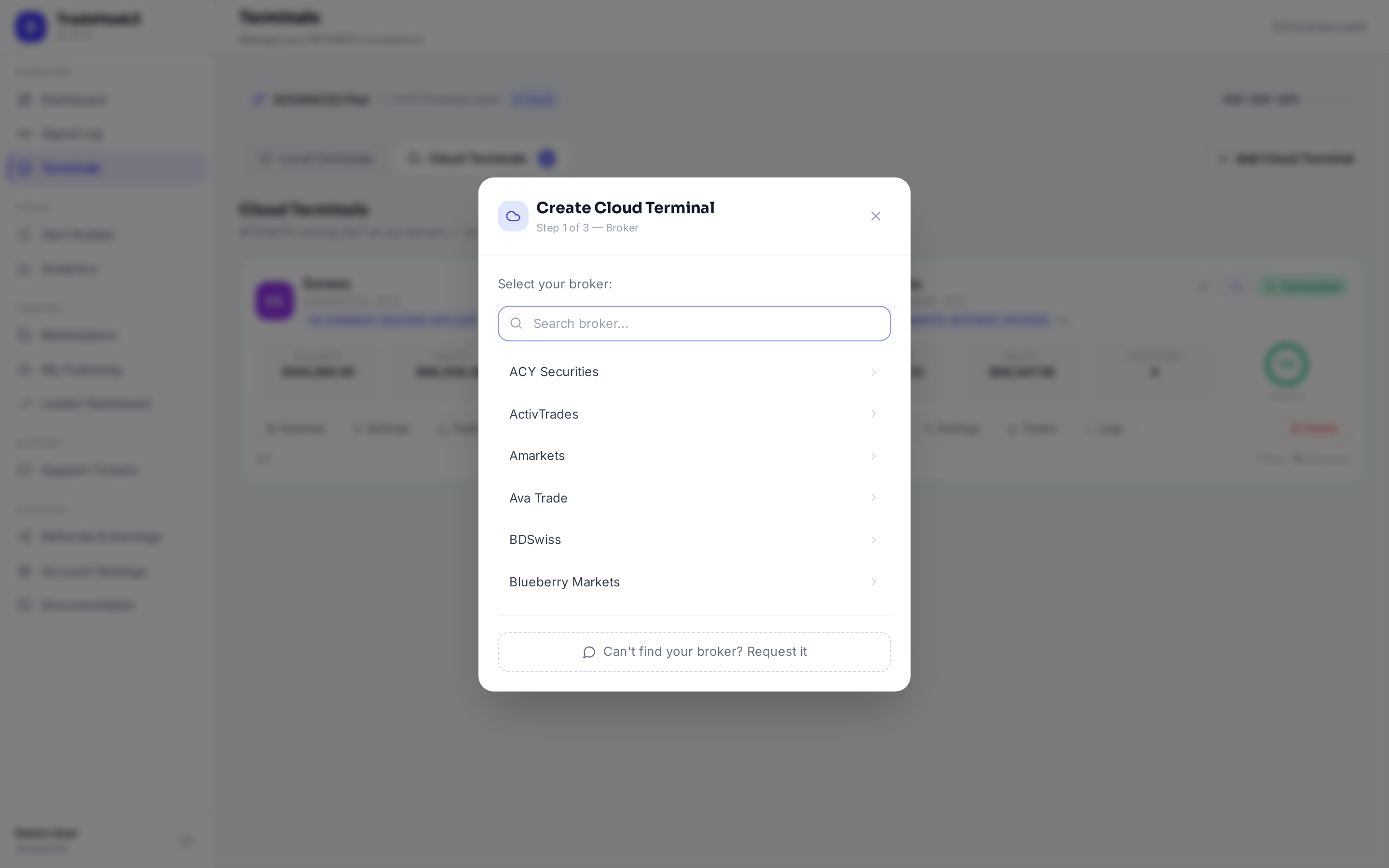
Adding a cloud terminal
Enter your trading account credentials
Provide your broker account number, password, and server. This must be the master password - an investor (read-only) password cannot place trades.
Deploy
The terminal is provisioned with the EA already installed and licensed to your account. Once it shows Online on your Terminals page, signals route to it automatically - nothing else to configure.
Good to know
- •Uptime: cloud terminals reconnect instantly and are monitored around the clock
- •Symbol mapping, risk filters, and all EA features work exactly as they do on a self-hosted terminal
- •Your subscription controls the terminal count - add terminals from the Billing page for volume discounts
- •If your subscription ends, cloud terminals are decommissioned after the grace period - renew to redeploy
- •A license slot is either local or cloud: to switch a local terminal to cloud, delete the local terminal first - its key is removed and a new one is assigned to the cloud terminal
Credentials safety
Your broker credentials are used only to connect the terminal to your broker. Never share your master password anywhere else, and use a dedicated trading account where possible.